An app for monitoring the status of GPS tracking devices.
A driver app that, when used with the company's Web Console, enables the posting of various work details for more accurate and complete information, as outlined below:
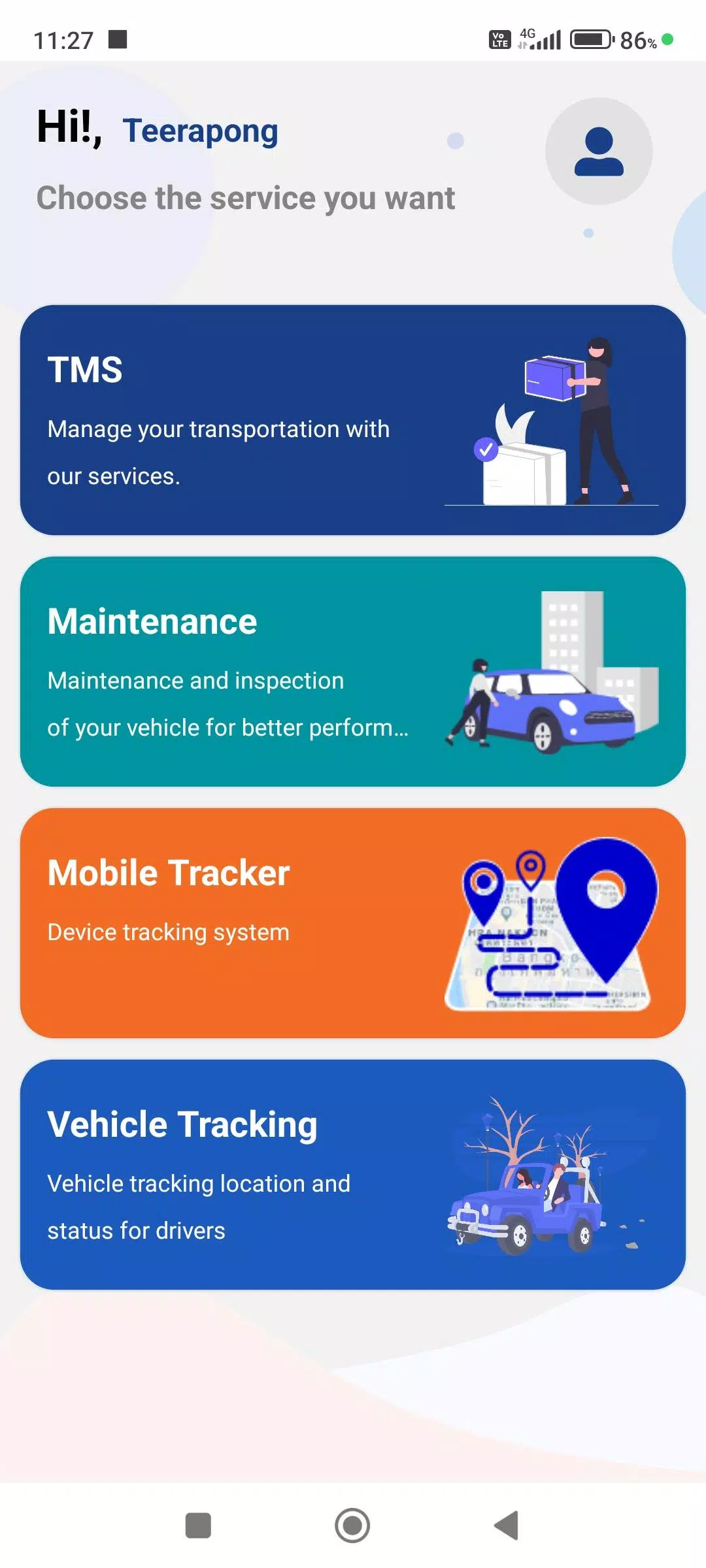
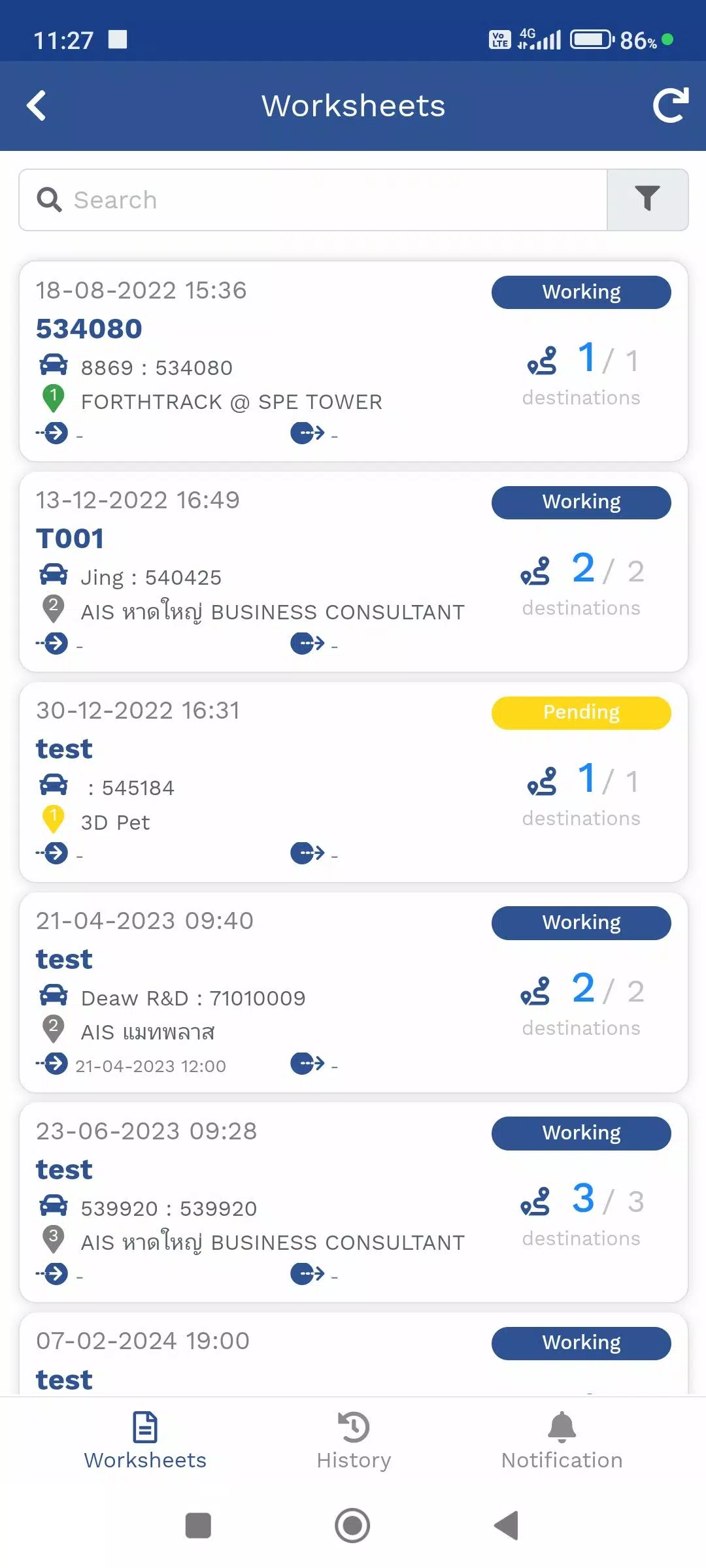
1. Travel Itinerary Menu (TMS)
This menu manages delivery travel plans assigned to employees. You can view the current location from the GPS device or the Mobile Tracker menu, including destination points for product delivery, along with real-time delivery status updates.
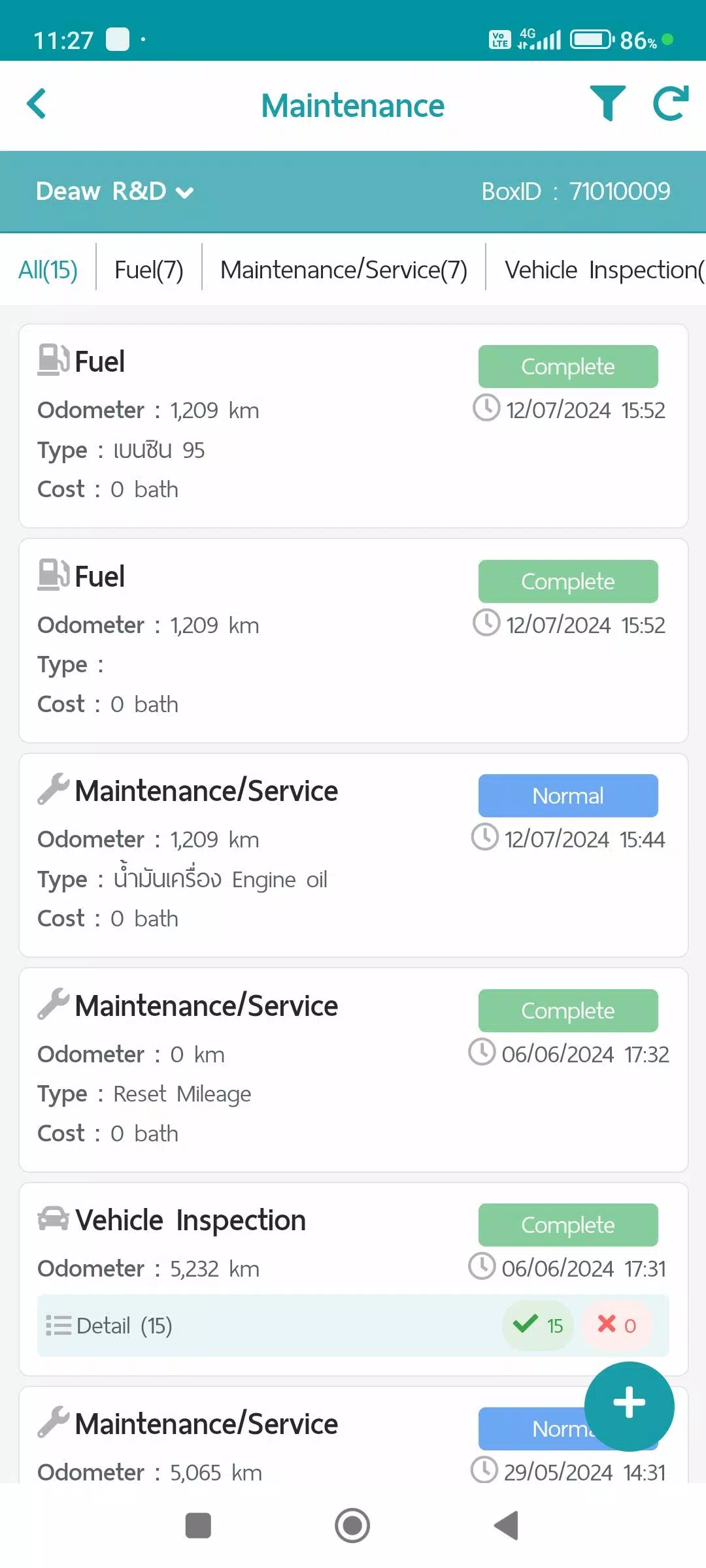
2. Maintenance Menu (Maintenance)
This menu logs vehicle maintenance items, stores data, and allows reports to be generated via the Web Console. It includes the following categories:
- Refueling
- Maintenance/Service
- Vehicle Condition Check
- Repair Items
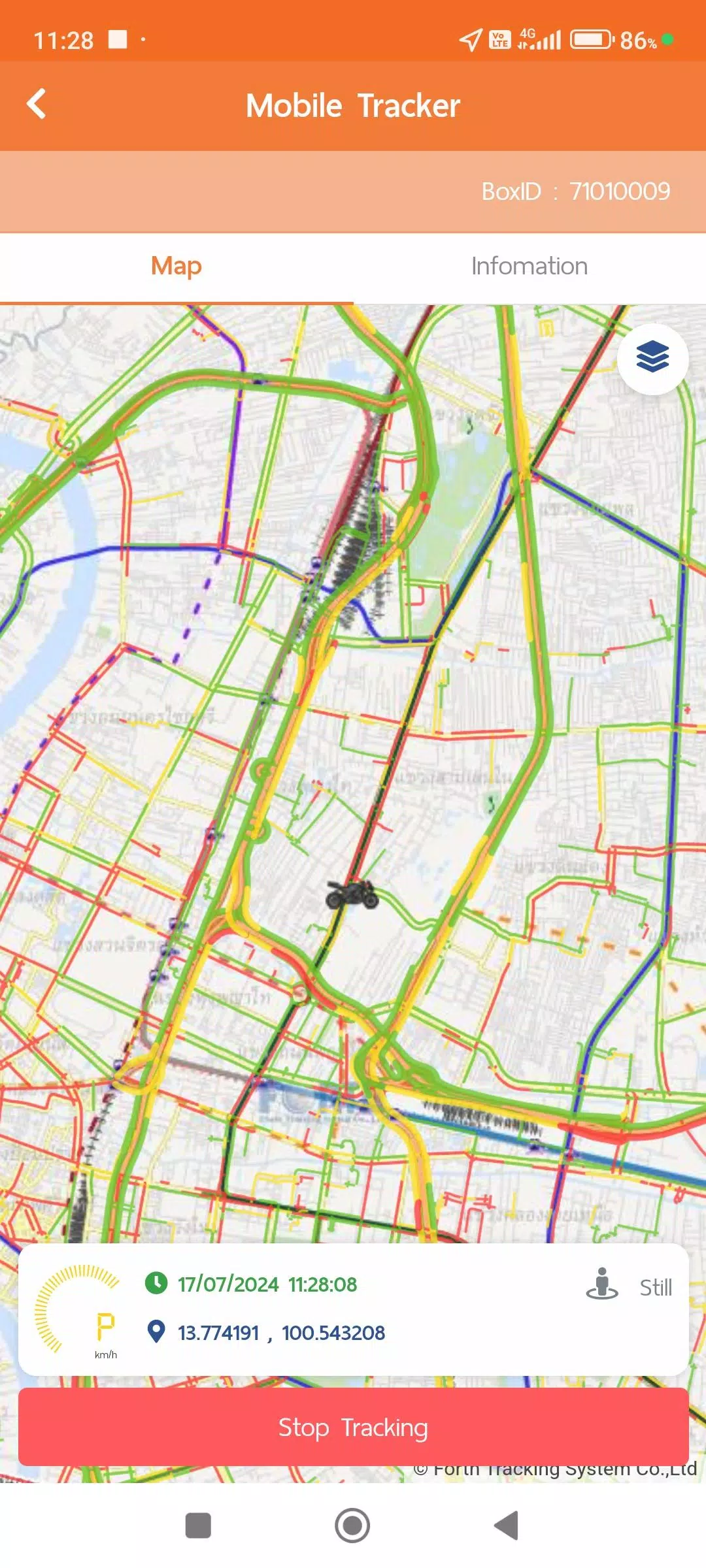
3. Mobile Tracker Menu
This menu pinpoints the driver's location using their mobile device. Instead of a dedicated GPS unit, the app transmits and stores GPS location data in the system while tracking is active. Transmission can be stopped. The data integrates with other menus like the Travel Plan (TMS) and Vehicle Tracking menus. Data summaries and reports in various formats are available through the Web Console. The Mobile Tracker menu requires additional permissions for certain device features:
- Always Allow Location Access: To request GPS location without launching the app for convenient use.
- Physical Activity Recognition Access: Uses activity data to intelligently manage GPS polling for greater system efficiency and energy savings:
1. Still: Requests GPS data every 1 minute; in Power Save Mode, every 5 minutes.
2. Working (Walking): Requests GPS information every 1 minute when walking is detected.
3. In Vehicle: In this activity, the system logs GPS data every second for accurate distance and speed calculation, but transmits data at 1-minute intervals normally.
**Power Save Mode activates after being Still for more than 5 minutes and deactivates upon detecting Working or In Vehicle activity.
4. Vehicle Tracking Menu (Vehicle Tracking)
This menu displays real-time location from GPS or Mobile Tracker devices, along with various work statuses. It also allows review of historical data in formats such as:
- Device Information
- Notification Settings
- Daily Travel Summary
- GPS Movement Data for custom time intervals
- Additional Data from supplementary equipment like MDVR or TPMS (if installed)
Data collection and usage policies are accessible in the user account menu:
- Terms and Conditions of Use
- Personal Data Protection Policy
- Cookie Policy
What's New in the Latest Version 1.7.6
Last updated on Nov 9, 2024
1. System performance updates and improvements.
Tags : Auto & Vehicles